Foodhub for Business vs Clover UK: Which EPOS Is better for UK takeaways?
General retail counter tool vs. purpose-built takeaway EPOS.
Clover UK was built to process card payments across cafes, retail shops, and salons. It does counter taps well, but it isn’t built out-of-the-box for high-volume takeaway operations. Foodhub for Business is designed specifically for busy UK food venues. From instant caller ID popups on ringing phones to native driver route tracking, it handles the exact chaos of a Friday night order surge.
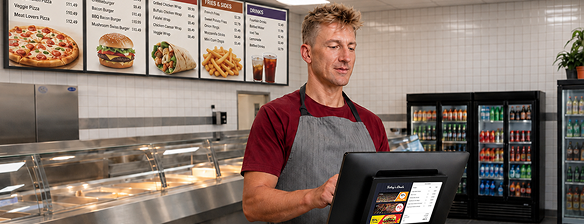
Designed Specifically for UK Takeaways
Protect Profit Margins
Dual-Channel Growth
Dedicated UK Support
The quick verdict
Foodhub for Business vs Clover UK: A closer look
Foodhub for Business
Foodhub for Business brings counter, phone, online, and dine-in orders into a single, unified EPOS ecosystem tailored for UK takeaways. Kitchen display screens update instantly regardless of the order source, and driver dispatch tools (Drive2Success) manage local deliveries natively.
Clover UK
Clover UK relies heavily on its proprietary hardware ecosystem (Clover Station Duo, Clover Mini, Clover Flex) tied to Fiserv merchant processing. While it offers basic register and counter functions, specialised takeaway features—such as caller ID lookup, caller address matching, driver route mapping, or pulling delivery platforms (Deliveroo, Just Eat, Uber Eats) into one screen—require downloading, configuring, and paying monthly fees for third-party apps from the Clover App Market.
EPOS feature comparison
Compare venue focus, ordering channels, delivery dispatch, marketplace reach, and dine-in tools between Foodhub for Business and Clover UK.
| Platform scope | Foodhub for Business | Clover UK |
|---|---|---|
| Core venue focus | Speed-first takeaway, QSR, & delivery operations with native tools for casual seating. | General retail, service, and counter-service hospitality with integrated Fiserv payments. |
| Ordering channels | Counter, phone, direct web, mobile app, and marketplace orders unified in one till. | Counter & in-store payments are native; online ordering & delivery platforms require add-ons. |
| Phone & delivery dispatch | Caller ID popups with order history and live driver tracking (Drive2Success). | App-dependent: Requires third-party marketplace apps (e.g., Deliverect, Otter, or specialised apps). |
| Marketplace reach | Included: Direct branded site/app plus active listing on the nationwide Foodhub Marketplace. | None: Direct EPOS only; online channel integration relies on third-party online ordering plugins. |
| Dine-in capabilities | Native & casual: QR order-at-table, quick tab creation, and simple table management. | Basic/Tiered: Table management available on higher-tier software plans or via third-party apps. |
Features and pricing structures are updated regularly. Confirm exact terms directly with each vendor.
Key questions to ask when comparing EPOS providers
Before committing to an EPOS provider for a takeaway with seating in the UK, ask these 3 operational questions:
"Are delivery dispatch, caller ID, and online channel management available natively, or do I have to pay extra monthly app subscriptions?"
Why it matters: Systems like Clover charge separate monthly fees for software tiers plus individual add-ons for driver tracking or online ordering. What starts as a low base software plan can quickly accumulate recurring app bills.
"Can I reuse my existing receipt printers, cash drawers, and wiring, or am I forced to buy proprietary hardware?"
Why it matters: Clover requires you to buy or lease their proprietary terminals and accessories. A provider that offers hardware audits to keep working peripherals significantly reduces upfront switching costs.
"Does your setup include exposure on an active food app, or am I entirely responsible for driving online customer traffic?"
Why it matters: Standalone EPOS hardware only processes sales inside your store. Being listed on an active marketplace brings nearby takeaway buyers directly to your kitchen.
Which EPOS is right for your takeaway?
Choose Foodhub for Business if:
You run a takeaway with casual seating and need an all-in-one system. You primarily focus on online delivery orders. Therefore, you want a system that speeds up counter and table orders, handles deliveries with native driver dispatch, can integrate with third-party delivery apps, and want a provider that builds you a website to process direct online orders without compounding monthly software and app marketplace fees.
Frequently Asked Questions

Find out how much you can save with Foodhub for Business
Speak with our team to review your current counter hardware and weekly order volume. We’ll show you how a true all-in-one takeaway EPOS system compares for smoother takeaway order management.