Compare Restaurant POS Systems Side-by-Side
Choosing the right restaurant POS is about more than features. Compare leading providers across the capabilities that matter most to find the best fit for your business.
Compare providers by:
Online ordering, Integrations, Pricing, Operational flexibility, Customer ownershipReady to compare costs?
Fill in your details and we'll prepare a personalized analysis.
Common Restaurant POS Platforms
Toast
Restaurant-focused ecosystem with strong multi-location and operational capabilities, though some operators eventually seek more flexibility around hardware, pricing structure, and operational complexity.
Square
Popular among smaller restaurants and cafes for ease of use and lower entry barriers, though some operators outgrow the platform as ordering and operational complexity increase.
Clover
Payments-led ecosystem commonly used through reseller and processor relationships, though operational experience and online ordering workflows can vary depending on configuration and partner setup.
Lightspeed
Hospitality-focused platform emphasizing advanced reporting and operational depth, though complexity and implementation requirements may increase as configurations expand.
TouchBistro
Table-service-focused iPad POS platform commonly used in full-service restaurant environments, though some operators may require additional integrations as operational needs expand.
Foodhub
Restaurant-focused POS + online ordering platform designed to simplify operational workflows across direct ordering, marketplace management, and restaurant operations.
Compare leading platforms
Compare Restaurant POS Systems Side-by-Side
Use the table below to quickly compare the platforms restaurant operators are most likely to shortlist.
| Features & Metrics | Foodhub | Toast | Square | Clover | Lightspeed | TouchBistro |
|---|---|---|---|---|---|---|
| Direct Ordering Workflows | ✓ | ✓ | ✓ | ✓ | ✓ | ✓ |
| Branded Ordering | ✓ | ✓ | ✓ | ✓ | ✓ | ✓ |
| Marketplace Integration | ✓ | ✕ | ✕ | ✕ | ✕ | ✕ |
| Ordering Workflow Complexity | Low | Medium-High | Medium | Medium-High | High | Medium-High |
| Flexible Transition Approach | High | Low | Medium | Medium | Medium | Low |
| Pricing Complexity | Low | High | Medium | High | Medium-High | Medium-High |
| Add-On Dependency | Low | High | Medium | Medium-High | Medium-High | Medium-High |
| Simplified Ordering Operations | ✓ | ✕ | ✓ | ✕ | ✕ | ✕ |
| Customer Ownership Focus | ✓ | ✓ | ✓ | ✓ | ✓ | ✓ |
| Best Fit | Restaurants seeking operational simplicity and flexible growth | Full-service and multi-location restaurants | Small restaurants and cafes | Restaurants working with reseller/payment partners | Higher-volume and operationally complex restaurants | Full-service restaurants with tableside operations |
Important considerations
Many restaurant POS systems offer similar core features. However, software pricing alone does not always reflect total operational cost.
Restaurants should evaluate operational fit — not simply advertised pricing or feature lists.
Restaurants should also consider:
Add-on requirements
Understand which features are bundled and which are gated behind paid add-ons before committing.
Payment processing structure
Compare flat-rate, interchange-plus, and blended models to understand the real cost per transaction.
Operational complexity
A system that adds workflow steps for staff can increase training time and daily friction.
Onboarding flexibility
Fast, supported onboarding keeps your restaurant running without costly downtime during migration.
Integration dependencies
Understand which third-party tools you rely on and how tightly they connect to your chosen platform.
Long-term scalability
Ensure the platform can grow with your operation — across locations, ordering channels, and complexity.
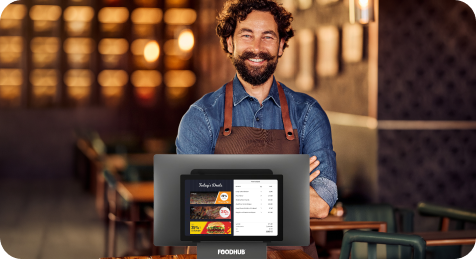
Foodhub for Business helps restaurants simplify POS + online ordering operations
By bringing direct ordering, marketplace management, payment processing, and restaurant workflows together into one streamlined, cohesive experience.
What Restaurants Should Evaluate in a POS System
When comparing restaurant POS systems, operators should evaluate more than software features alone. Operational workflows, online ordering management, pricing structure, and long-term flexibility can significantly impact day-to-day restaurant operations.
Explore the sections below for additional evaluation considerations
Restaurant POS pricing varies widely. Some providers charge monthly software fees, while others increase total costs through payment processing markups, add-on modules, proprietary hardware requirements, or layered operational tools.
Restaurants should evaluate the full operational cost of the system — not just the advertised starting price.
Look for:
- Transparent monthly pricing
- Flexible contracts
- Payment processing structure
- Hardware requirements
- Add-on module costs
- Online ordering costs
- Clear cancellation terms
Payment processing is often one of the largest hidden costs in restaurant POS systems. Many platforms require restaurants to use proprietary payment processors with fixed rates.
Key considerations:
- Flat-rate vs interchange-plus pricing
- In-person transaction rates
- Online ordering transaction fees
- Chargeback handling
- Hardware compatibility
Restaurants increasingly rely on online ordering and off-premise operations as core parts of day-to-day restaurant workflows. POS systems should support direct ordering, delivery integrations, menu synchronization, and customer ownership without creating additional operational complexity.
Look for:
- Native online ordering
- Third-party delivery integrations
- Branded ordering experiences
- Customer data ownership
- Menu synchronization
High restaurant staff turnover can make usability and onboarding speed especially important. POS systems should be intuitive, easy to learn, and simple for teams to adopt across day-to-day restaurant operations.
Evaluate:
- User interface simplicity
- Training requirements
- Mobile usability
- Menu management
- Employee permissions
Some restaurant POS systems lock restaurants into proprietary hardware, while others offer more flexibility.
Evaluate:
- Tablet compatibility
- Kitchen display systems
- Handheld ordering devices
- Self-service kiosks
- Receipt printers
- Cash drawers
As restaurants expand, POS systems should scale without creating operational complexity.
Look for:
- Multi-location reporting
- Centralized menu management
- Franchise support
- Enterprise analytics
- Role-based access
The true cost
Understanding the Total Cost of a Restaurant POS
Restaurant POS pricing can vary significantly depending on transaction volume, hardware requirements, online ordering needs, and payment processing structure. While some systems advertise low monthly pricing, additional fees for hardware, integrations, processing, and support can substantially increase the true cost of ownership
Hardware Lock-In Fees
Some restaurant POS systems require restaurants to purchase proprietary terminals, handhelds, or payment devices. This can increase upfront investment and limit flexibility when upgrading or scaling.
Payment Processing Markups
Many POS providers generate significant revenue through payment processing. Restaurants should evaluate:
- Transaction rates
- Online ordering fees
- Manual entry fees
- PCI compliance fees
- Chargeback costs
Add-On Module Costs
Advanced restaurant functionality often requires additional monthly modules. Common paid add-ons include:
- Loyalty programs
- Payroll
- Marketing automation
- Inventory management
- Delivery management
- Multi-location reporting
Why Restaurants Switch
Restaurants often begin comparing POS systems after becoming frustrated with disconnected POS, payment, and online ordering systems that create unnecessary complexity, limited flexibility, or concerns around support and online ordering workflows.
Common reasons restaurants look for alternatives include:
- Increasing add-on and processing costs
- Managing disconnected POS + online ordering systems
- Limited flexibility across POS + online ordering workflows
- Operational complexity and staff training challenges
- Concerns around long-term scalability
Switch Without Disruption
Many restaurants hesitate to switch POS systems because they worry about downtime, retraining staff, disrupting online ordering workflows, or replacing their entire operational setup.
Look for:
- Flexible onboarding support
- Hardware compatibility where possible
- Gradual transition options
- Minimal operational disruption during setup
What to Watch Out For
Restaurant POS pricing and functionality can vary significantly depending on integrations, payment processing structures, hardware requirements, and add-on modules. Before choosing a system, restaurants should evaluate:
Reduce the total cost of every order without disrupting your operation
Compare total operating costs, operational flexibility, online ordering capabilities, and long-term operational fit and see why independent restaurants choose a simpler operational approach.
- Reduce overall POS, ordering, and payment costs
- Works alongside your existing setup
- Avoid layered add-ons and operational complexity
- Built for independent restaurant operators
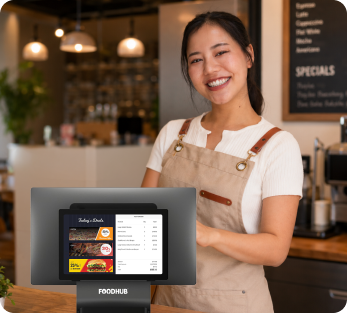
Who It's For
Is Foodhub the Right Fit for Your Restaurant?
Every restaurant has different operational needs and technology requirements. Here's where Foodhub is typically the strongest fit.
Independent restaurants
Perfect for single-location restaurants that want an easy-to-manage ordering and operations platform.
Small multi-location operators
Manage multiple locations with centralized tools while keeping each store running smoothly.
Delivery & takeout-focused businesses
Built for restaurants that rely on online ordering, pickup, and delivery to drive growth.
Restaurants seeking one integrated platform
Bring ordering, payments, customer management, and operations together in one place.
What Restaurant Owners Say After Switching
Real-world restaurant experiences often reveal what comparison tables can't.

We always know customers are finding us through our own website. We can build loyalty, grow our customer base, and communicate directly without a third party in between.
Isaac "Zac" Parker
Co-Founder & Partner, The Igloo Desserts