.png)
How to Find the Best POS System in Sydney: Full Guide
A good POS system in Sydney does more than process payments; it keeps your business running smoothly. From managing orders and stock to organising staff and generating useful reports, the right system is the quiet powerhouse behind stress-free operations.
But with so many options (and plenty of hidden fees or unnecessary extras), choosing the best POS can be overwhelming. That’s why we’ve created this guide: to show you why a POS matters, the types available, the features worth paying for, and how to compare providers without wasting time or money.
By the end, you’ll know exactly what to look for in a system that can grow with your business.
Why Choosing the Right POS System in Sydney Matters
Sydney’s restaurant and cafe scene is highly competitive. Customers expect quick and smooth service, whether they’re dining in, ordering takeaway, or grabbing a coffee on the go. A good POS system in Sydney helps speed up orders, manage tables, track stock in real time, and give you clear reports to understand what’s working.
Without the right system, you’re left with long queues, frustrated staff, and stock management that’s little more than guesswork. In simple terms, the right POS doesn’t just process payments; it keeps your restaurant running like clockwork.
Types of POS Systems Available in Sydney
Not all point of sale systems are made equal. Let’s run through the basics:
- Traditional POS systems: The bulky, old-school tills. Reliable, yes. Modern? Not so much.
- Cloud-based POS systems: Flexible, mobile, and accessible anywhere (even if you’re checking sales from the beach, we won’t judge).
- Hybrid POS systems: A mix of both worlds for those who want safety nets.
The right choice depends on your business type. A boutique cafe might love the cloud, while a busy restaurant might lean on stronger POS hardware to handle high volumes.
Key Features to Look for in the Best POS System Sydney
This is where many business owners trip up. They get wooed by the sleek touchscreen but forget to check if it can actually do the job. Here’s what you really need in POS software:
1. Ease of Use and Support
If your staff needs three days of training just to ring up a sandwich, it’s a no.
2. Integrated Payments
Card, mobile wallets, Tap2Pay, Pay by QR, Pay by Link. Basically, if someone wants to pay with a shoelace, it should (almost) work.
3. Inventory Management
Tracks ingredients, syncs with menus, and stops you from discovering you’ve run out of muffins during the Monday morning rush.
4. Menu Management
Add seasonal specials, update prices, or create cheeky bundle deals in seconds.
5. Order and Table Management
Streamline orders, split bills, change floor plans, or let staff take orders table-side without scribbling on notepads.
6. Delivery Platform Integration
Connects with third-party apps (Uber Eats, Deliveroo, Menulog) so you don’t need five different tablets cluttering your counter.
7. Staff Management
Track hours, payroll, tips, and roles without needing a maths degree.
8. Customer Relationship Tools
Loyalty programmes, CRM, and feedback tools so customers keep coming back.
9. Reporting and Analytics
Real-time sales and margin reports because “gut feeling” isn’t a strategy. Mobile and offline access: Keeps running even if the Wi-Fi dies. (And in Sydney, that’s not rare.)
Pro Tip: Turn Insights into Income: 5 Ways Restaurant Analytics Can Boost Revenue
Factors to Consider Before Choosing a POS System
.png)
Before you fall for shiny marketing, think about:
- Your business size and sector: A cafe doesn’t need the same system as a retail chain.
- Budget: Watch for sneaky fees hidden in the fine print.
- Scalability: Will it still fit your business when you expand?
- Local support in Sydney: A system is only as good as the help you get when it breaks.
- Security & compliance: Protecting customer data isn’t optional.
Common Mistakes to Avoid
- Choosing the cheapest system and then complaining when it crashes.
- Signing up for long contracts without checking the exit clause (classic mistake).
- Skipping staff training and then wondering why everyone hates it.
- Forgetting integrations with existing tools because nobody wants a system that doesn’t play nice.
How to Compare POS Providers in Sydney
Here’s your game plan:
- Make a shortlist of providers.
- Read reviews (real ones, not the five-star ones written by “John123” who clearly works there).
Request a demo or free trial. - Check customer support; trust me, you don’t want to be on hold for three hours during Friday dinner rush.
Sydney POS Trends to Watch
Sydney businesses are moving fast. Here’s what’s trending:
- Contactless and QR payments are everywhere.
- Online ordering integrations are a must.
- Self-service kiosks are popping up in cafes and takeaways.
- Cloud-based systems are becoming the default.
Steps to Successfully Implement a POS System
- Plan your rollout; don’t switch systems in the middle of lunch rush.
- Train your staff properly.
- Test everything before going live.
- Keep monitoring and adjusting as you go.
Final Tips
Choosing the right POS system in Sydney isn’t just about making payments easier. It’s about running your business smarter, faster, and more profitably. A solid point of sale keeps queues moving, stock in check, and customers happy, and that’s what matters most.
Why Foodhub for Business Is Your Best Bet
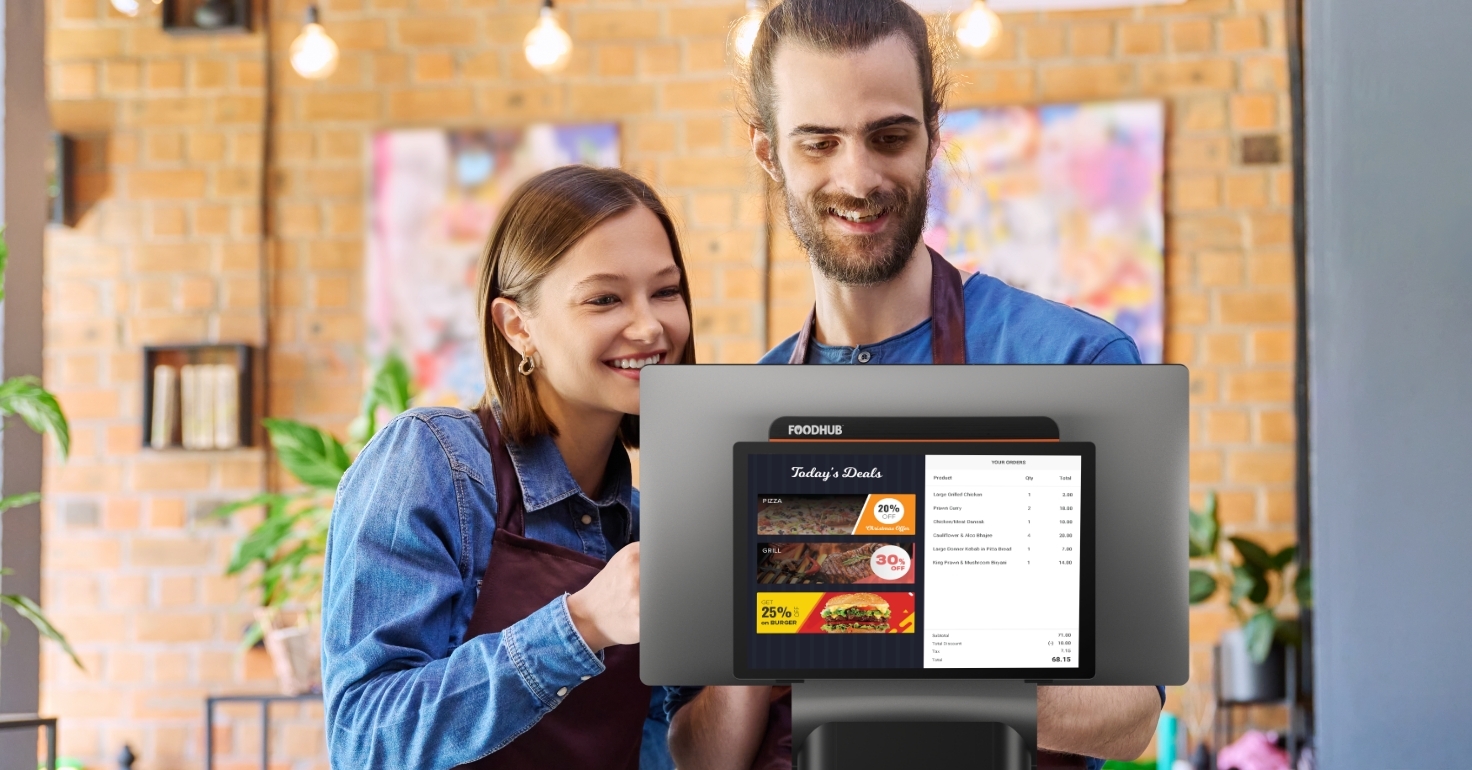
Here’s the bit where we brag, and for good reason. At Foodhub for Business, our POS software Sydney comes with all the features you actually need: smooth payments, stock and menu management, staff tracking, delivery integrations, reporting, offline access, and more. Plus, our POS hardware is designed to keep up with the busiest cafes and restaurants in Sydney.
You don’t just get a POS; you get a business partner that helps you grow, save money, and keep customers coming back. Book a demo and start your free trial today with Foodhub for Business, and see how easy running your business can actually be.
.png)
