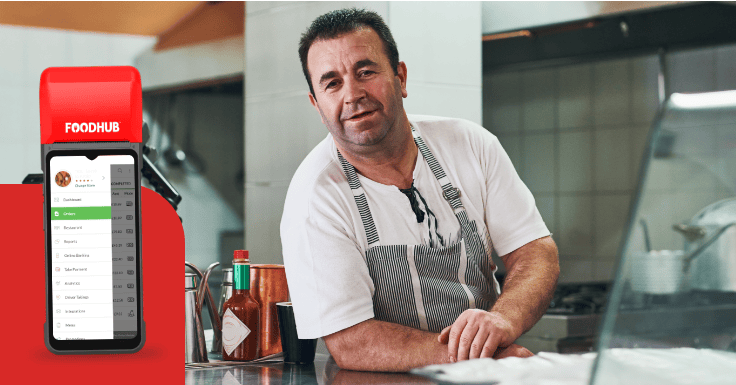
Restaurant service can quickly slow down when staff repeatedly walk between tables, fixed tills, and the kitchen. A tableside ordering system reduces these extra steps by allowing employees to take orders directly beside the customer.
For restaurants looking to improve service speed, order accuracy and customer experience, tableside ordering can be a useful addition to a traditional EPOS setup. A portable APOS device can support this process while working alongside the restaurant’s main EPOS system.
What is Tableside Ordering System?
A tableside ordering system is a digital solution that enables restaurant staff to take customer orders at the table using a handheld device.
Instead of writing the order on paper and entering it into a fixed terminal later, the server selects the items, records any changes, and sends the order to the restaurant’s EPOS system. It can then be routed to the kitchen printer, Kitchen Display System, or bar.
Tableside ordering can be managed through:
- A handheld APOS or POS device used by staff
- A tablet carried by the server
- A QR code scanned by the customer
- A payment terminal with ordering features
Each method creates a different experience. QR ordering gives customers more independence, while staff-operated tableside ordering keeps the personal interaction many diners expect in a full-service restaurant.
How Does Tableside Ordering Work?
Although the exact process depends on the technology provider, most tableside ordering systems follow a similar journey.
1. The server opens the table
The employee selects the correct table number on the handheld device. This creates or opens the customer’s order within the restaurant’s EPOS system. The order remains linked to that table throughout the meal, making it easy to add more items later.
2. The order is entered at the table
The server selects the customer’s dishes and drinks from the digital menu. They can also add modifiers such as:
- No onions
- Extra cheese
- Sauce on the side
- Allergy notes
- Cooking preferences
- Side changes
- Additional toppings
Because these details are entered immediately, the server can confirm the order before submitting it. That means fewer forgotten changes and no trying to work out whether a handwritten note says “no mayo” or “no mango.”
3. The order is sent to the kitchen
Once confirmed, the order is sent through the main EPOS system. Food items can be routed to the kitchen, while drinks may be sent to the bar. Preparation can begin without the server returning to a fixed till.
The kitchen receives the information sooner, and front-of-house staff spend less time walking back and forth across the restaurant.
4. More items are added
If customers later order another round, desserts or additional sides, the server can add them to the existing table order using the handheld device. This is particularly useful in pubs, bars and restaurants where guests may order several times during one visit.
5. Tableside payment is completed
At the end of the meal, the full order is already recorded in the EPOS system.
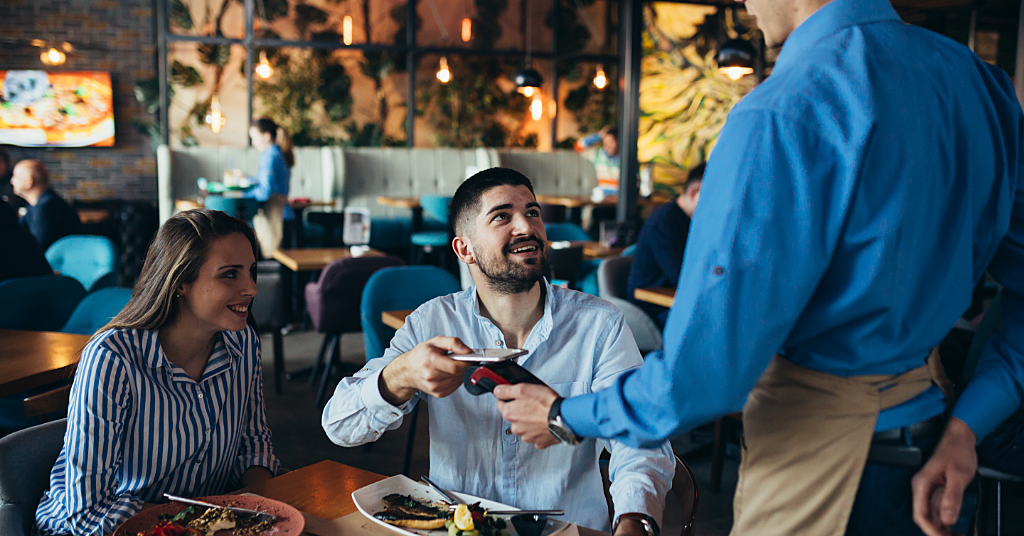
Depending on the setup, staff may be able to review the bill, split it, and take payment at the table using the handheld device or an integrated card terminal. This allows customers to settle their bill without walking to the counter or waiting for a separate payment device.
What Are the Benefits of Tableside Ordering?
The value of tableside ordering goes beyond replacing a notepad with a screen. It removes unnecessary steps and helps staff serve customers more efficiently.
1. Faster service
With a traditional process, the server writes down the order, returns to the till, waits for access, and enters the information.
A tableside ordering system removes that extra journey. The order can be sent while the employee is still beside the customer. During a packed Friday night, those saved minutes can make a noticeable difference.
2. Better order accuracy
Handwritten orders can be difficult to read, and details may be forgotten when the server enters them into the till later.
Tableside ordering allows modifiers and special requests to be recorded immediately. The server can also repeat the order back to the customer before submitting it. This can reduce incorrect dishes, missing items, and avoidable remakes.
3. Faster kitchen communication
Orders reach the kitchen or bar as soon as they are submitted. This gives preparation teams clearer information earlier and helps them organise their workload more effectively.
When the system is connected to current menu information, staff may also be able to identify unavailable dishes before offering them to customers.
4. More time with customers
Tableside ordering should support hospitality rather than replace it.
When employees spend less time walking to the till or entering orders twice, they have more time to explain dishes, answer questions, recommend options, and check on guests. The technology handles the order entry while the employee focuses on the customer experience.
5. Easier upselling
A handheld menu can display available extras, sides, upgrades, and modifiers while the order is being taken.
This helps staff remember relevant prompts such as:
- “Would you like chips with that?”
- “Shall I make that a large?”
- “Fancy another round while I’m here?”
It does not have to feel like a hard sell. It simply allows employees to offer suitable options at the right moment.
6. Smoother tableside payment
The payment stage can have a major effect on the customer’s final impression.
A good meal followed by a long wait for the bill can leave guests feeling frustrated. Tableside payment helps shorten this delay by allowing customers to review and settle their bill without leaving the table. The transaction can also remain connected to the correct order, reducing unnecessary manual work for staff.
Can APOS Be Used for Tableside Ordering?
APOS can be a practical solution for restaurants that want employees to remain mobile while working within the wider EPOS setup.
Unlike a fixed EPOS terminal, APOS is designed to be carried around the venue. Staff can use it beside dining tables, in outdoor seating areas, at the bar, or in another section of the restaurant.
Depending on the system configuration, APOS may help employees:
- View menu items
- Add modifiers
- Manage table orders
- Send orders to the kitchen
- Check order details
- Take tableside payments
This gives front-of-house teams quicker access to the functions they need without repeatedly returning to the main terminal. However, APOS does not have to replace EPOS. In many restaurants, the strongest setup is for both systems to work together.
How Can APOS and EPOS Work Together?
The EPOS can act as the restaurant’s central control system, while APOS operates as its mobile extension.
The main EPOS system may manage:
- Menus and pricing
- Central order management
- Kitchen routing
- Table information
- Payments
- Reporting
- Staff access
- Stock information
- Online and delivery orders
APOS gives front-of-house staff access to relevant functions while they move around the restaurant.
For example, a server takes an order at the table using APOS. The information syncs with EPOS, which sends each item to the appropriate preparation area. The complete order remains visible within the restaurant’s central system.
This allows the restaurant to gain greater staff mobility without losing management control.
Where is APOS Most Useful?
APOS can be particularly valuable in:
- Full-service restaurants with several dining areas
- Pubs and bars where customers order multiple rounds
- Venues with outdoor seating
- Casual dining restaurants with several servers
- Busy locations where queues form around fixed EPOS terminals
In these environments, APOS can reduce unnecessary movement and give employees faster access to ordering tools.
The fixed EPOS terminals can continue to support central operations, while portable APOS devices help staff manage tableside ordering across the venue.
Is Tableside Ordering Suitable for Every Restaurant?
Not every restaurant requires the same setup.
A small counter-service takeaway may not need several tableside devices. A full-service restaurant with a large dining room, however, may benefit considerably from faster order entry and better kitchen communication.
Before choosing a tableside ordering system, restaurant operators should consider:
- The number of tables and service areas
- Internet and network coverage
- Integration with the existing EPOS
- Menu and modifier complexity
- Tableside payment requirements
- Staff training
- Device battery life
- Kitchen routing
- Reporting and customer support
The aim is not to give staff another gadget to look after. The technology should make the service process simpler, not more complicated.
Improve the Customer Experience from Order to Payment
A tableside ordering system brings the ordering process closer to the customer.
Staff can enter orders accurately, send them to the kitchen sooner, and add further items without repeatedly returning to a fixed till. Customers receive quicker and more attentive service, while the restaurant benefits from better communication between the front and back of house.
When APOS and EPOS work together, restaurants do not have to choose between mobility and control. APOS supports employees on the restaurant floor, while EPOS manages orders, kitchen operations, payments, and reporting from the centre.
Foodhub APOS can work alongside EPOS to support a more connected tableside ordering and tableside payment experience. Book a free demo to discover how Foodhub APOS and EPOS can work together in your restaurant.