How a Delivery Management System Supports Better Control Across Every Delivery
Restaurant delivery can become difficult to manage long before order volume looks “large.” A few drivers, several active orders, changing prep times, and a busy counter are enough to create missed handoffs, inefficient routes, and repeated calls asking when an order will arrive.
A delivery management system gives restaurant teams a more organized way to coordinate what happens after an order is accepted. It can bring dispatch, driver information, route planning, order status, proof of delivery, and performance reporting into one workflow. Instead of relying on paper tickets, phone calls, and memory, managers can see what is happening and respond sooner when something changes.
That visibility matters because off-premises dining is now part of many customers’ weekly routines. According to the National Restaurant Association, 47% of adults pick up takeout at least once a week and 37% order delivery weekly. For restaurants that manage their own drivers, the delivery experience is an extension of the restaurant experience—and a delay or communication gap can affect how customers remember the entire order.
Executive summary
A delivery management system helps restaurants organize dispatch, track delivery progress, plan routes, communicate with drivers, and review performance from one place.
The most useful system is not necessarily the one with the longest feature list. It is the one that fits the restaurant’s order volume, driver model, existing technology, and day-to-day workflow.
Restaurants should confirm which capabilities are included, how the system connects with their current setup, what the total cost will be, and what support is available before making a decision.
What is a delivery management system?
A delivery management system is software used to organize and monitor the delivery stage of an order. Depending on the platform, it may help a restaurant assign orders to drivers, provide directions, track active deliveries, capture proof of delivery, adjust delivery settings, and review delivery performance.
This is different from a point-of-sale system, although the two may connect. A POS records sales and helps manage orders, payments, menus, and other restaurant activity. A delivery management system focuses more specifically on moving an order from the restaurant to the customer. When the systems work together, order information can move into the delivery workflow with less re-entry and fewer disconnected steps.
Capabilities vary significantly. Some platforms are designed primarily for restaurants with their own drivers. Others may connect with outside courier services or support a combination of delivery models. Restaurant operators should evaluate the actual product—not assume that every delivery management system includes every function described in the market.
Where restaurants lose control of delivery
The difficult part of delivery is not simply getting a driver from one address to another. Managers must coordinate kitchen timing, driver availability, order priority, delivery distance, customer instructions, and changing conditions during a rush.
When that work is handled manually, common control gaps can include:
• orders waiting because no one has assigned a driver;
• drivers receiving incomplete addresses or special instructions;
• two orders traveling in opposite directions on the same run;
• staff calling drivers repeatedly for status updates;
• customers calling the restaurant because they do not know what is happening;
• uncertainty about when or where an order was delivered; and
• limited information for identifying recurring delays.
A restaurant delivery management system does not remove every variable. Traffic changes, customers may be difficult to reach, and kitchen demand can rise unexpectedly. What the system can provide is a clearer operating picture, more consistent processes, and better information for making decisions.
How a delivery management system improves control
Centralized visibility across active deliveries
One of the most practical benefits of delivery software is the ability to view active orders and drivers in one place. A manager can check which orders are waiting, which have been assigned, which drivers are on the road, and which deliveries have been completed without reconstructing the situation from paper tickets and phone calls.
This shared view can help the team answer everyday questions faster:
Which order should leave next?
Which driver is available?
Has the driver received the correct address and instructions?
Is an order still at the restaurant or already on the road?
When did the delivery reach the customer?
Centralized information is especially useful during peak periods, when a small communication delay can affect several orders. It also creates a record that managers can review later instead of relying only on what staff remember from a busy shift.
For multi-location operators, it is important to confirm whether the platform provides location-level and group-level views. A system that works well for one store may not automatically provide the reporting or permissions needed across several restaurants.
More consistent order assignment and dispatch
Manual dispatch often depends on one experienced employee knowing the delivery area and making quick decisions. That approach can work at low volume, but it becomes fragile when that person is unavailable or several orders arrive at once.
A delivery management system can create a more consistent process for assigning orders. Depending on the platform, managers may be able to assign a driver manually or use automated assignment based on factors such as driver availability, distance, or current workload.
The goal is not automation for its own sake. It is to reduce avoidable waiting and give staff a repeatable workflow. Clear assignment also reduces the risk that two people assume someone else has handled an order—or that a driver leaves without the information needed to complete the trip.
Restaurants should ask how much control they retain over dispatch rules. A neighborhood pizza shop may want to make different decisions from a multi-location fast-casual operation. The system should support the way the restaurant actually delivers rather than force every operator into the same process.
Route planning that supports efficient delivery
Delivery routes affect driver time, fuel use, food quality, and the number of orders a restaurant can handle with its available team. A delivery management system may provide optimized routes and directions so drivers spend less time planning trips or correcting avoidable navigation errors.
For orders traveling in the same general direction, some platforms may also help organize multi-stop routes. The restaurant should still consider preparation time, menu items, promised delivery windows, and food-holding limits before combining orders. The mathematically shortest route is not always the best operating decision if one order has already been waiting or another item does not travel well.
Route tools are most useful when they support judgment rather than replace it. Operators should look at whether routes can be adjusted, how address changes are handled, and whether the driver can easily view directions and order notes on a mobile device.
Better communication between managers and drivers
Delivery problems often become customer-service problems because the restaurant does not have timely information. If a driver cannot find an address, an item appears to be missing, or traffic causes a delay, the team needs a quick way to coordinate.
Many delivery platforms provide a driver app or mobile experience that shares order details, directions, status updates, and communication options. This can reduce the need to pass information through handwritten notes or personal text messages.
The restaurant should define a simple status process so the technology remains useful. Drivers and staff need to understand when an order is accepted, collected, on the road, and completed. Consistent status updates make the dashboard more reliable and can help restaurant staff give customers clearer information when they call.
If customer-facing notifications or live tracking are important, confirm that they are actually included. Manager tracking and customer tracking are not always the same feature, and notification options may depend on the ordering channel.
Proof of delivery and clearer issue resolution
When a customer reports that an order did not arrive or was left at the wrong location, the restaurant needs more than a guess. Digital proof of delivery can create a record of the handoff through a photo, signature, timestamp, or delivery status, depending on the system.
That information does not eliminate disputes, but it gives the restaurant a better starting point for reviewing what happened. Managers can compare the delivery record with the address, order notes, and driver information before deciding how to resolve the issue.
Restaurants should also consider how proof-of-delivery information is stored, who can access it, and how long it is retained. Photos, addresses, phone numbers, and order histories may contain customer information, so security and access controls should be part of the buying decision—not an afterthought.
Reporting that turns delivery activity into useful decisions
A busy shift can feel disorganized without revealing exactly where the problem occurred. Reporting can help managers move from impressions to patterns.
average delivery or completion time;
driver activity and order assignments;
route or distance information;
completed, delayed, or unsuccessful deliveries; and
proof-of-delivery records.
These insights can support practical questions about staffing, delivery zones, workflow, and customer expectations. If delays repeatedly occur during a particular period, the cause may be driver coverage, kitchen preparation, dispatching, or an unrealistic delivery radius. The report does not make the decision for the operator, but it provides evidence for investigating the right part of the process.
Before purchasing, ask which reports are standard, whether data can be exported, and whether information can be viewed by location, driver, channel, or time period. “Reporting included” can mean very different things across systems.
How delivery management connects with POS and online ordering
Delivery software is most valuable when it fits the rest of the restaurant’s operation. If staff must re-enter every order or check several disconnected devices, the restaurant may replace one form of complexity with another.
An integrated workflow can move relevant order information from the restaurant POS system or online ordering channel into delivery management. The driver can receive the address, contact information, order notes, and delivery instructions while the restaurant maintains a clearer view of order status.
Integration requirements should be confirmed carefully. Operators should ask:
Which POS and ordering systems can connect?
Are orders entered automatically, manually, or both?
What information passes between systems?
How are changes or cancellations handled?
Does the integration require new hardware or a full system change?
What happens if the internet connection is interrupted?
These questions support Foodhub’s broader principle of reducing unnecessary disruption. A restaurant should understand how a new tool will work alongside its current setup and what the transition will require before committing.
How to compare delivery management systems
Feature lists are useful, but they should be evaluated in the context of the restaurant’s actual operation. Before comparing vendors, map the current delivery process from order acceptance to final handoff. Identify where time is lost, which tasks are manual, and which questions staff cannot answer easily today.
Then compare systems across these areas:
Operational fit
Confirm that the system supports the restaurant’s delivery model, typical order volume, delivery radius, driver workflow, and number of locations. A tool designed for a large courier network may add unnecessary complexity to a small operation.
Ease of use
Managers, dispatchers, and drivers may all use different parts of the platform. Ask to see the real workflow, not only a feature presentation. Consider how quickly a new employee could learn the essential steps during a busy shift.
Visibility and control
Determine which statuses, driver details, maps, alerts, and records managers can see. Confirm whether dispatch decisions can be adjusted manually and whether permissions can be set for different roles.
Integration and transition
Understand how the delivery system connects with the restaurant’s POS, ordering channels, and existing hardware. Ask what implementation, data setup, training, and support will be required.
Reporting and data access
Review the reports the restaurant will actually receive. Ask whether data can be exported and how customer and driver information is protected.
Total cost
Compare the complete cost rather than a headline monthly price. The total may include software, implementation, integrations, devices, messaging, support, or per-delivery fees. A lower-cost system is only a better value if it handles the restaurant’s essential workflow reliably.
When a delivery management system may be the right fit
Delivery management software is most relevant when a restaurant coordinates its own drivers or has enough delivery activity that manual processes are becoming difficult to oversee. Warning signs can include frequent status calls, inconsistent assignments, repeated address problems, unclear driver availability, and limited delivery performance data.
Very low-volume operations may be able to manage deliveries with a simpler process. High-volume or multi-location restaurants may need more advanced controls, integrations, and reporting. The right decision depends on whether the system solves a meaningful operational problem and whether the expected benefit justifies its total cost.
Restaurants considering an in-house program should also evaluate the operational responsibilities that technology does not replace, including hiring, insurance, scheduling, vehicle policies, food-safety practices, and local employment requirements. Our guide to managing restaurant delivery drivers explores those day-to-day considerations in more detail.
How Foodhub supports greater delivery control
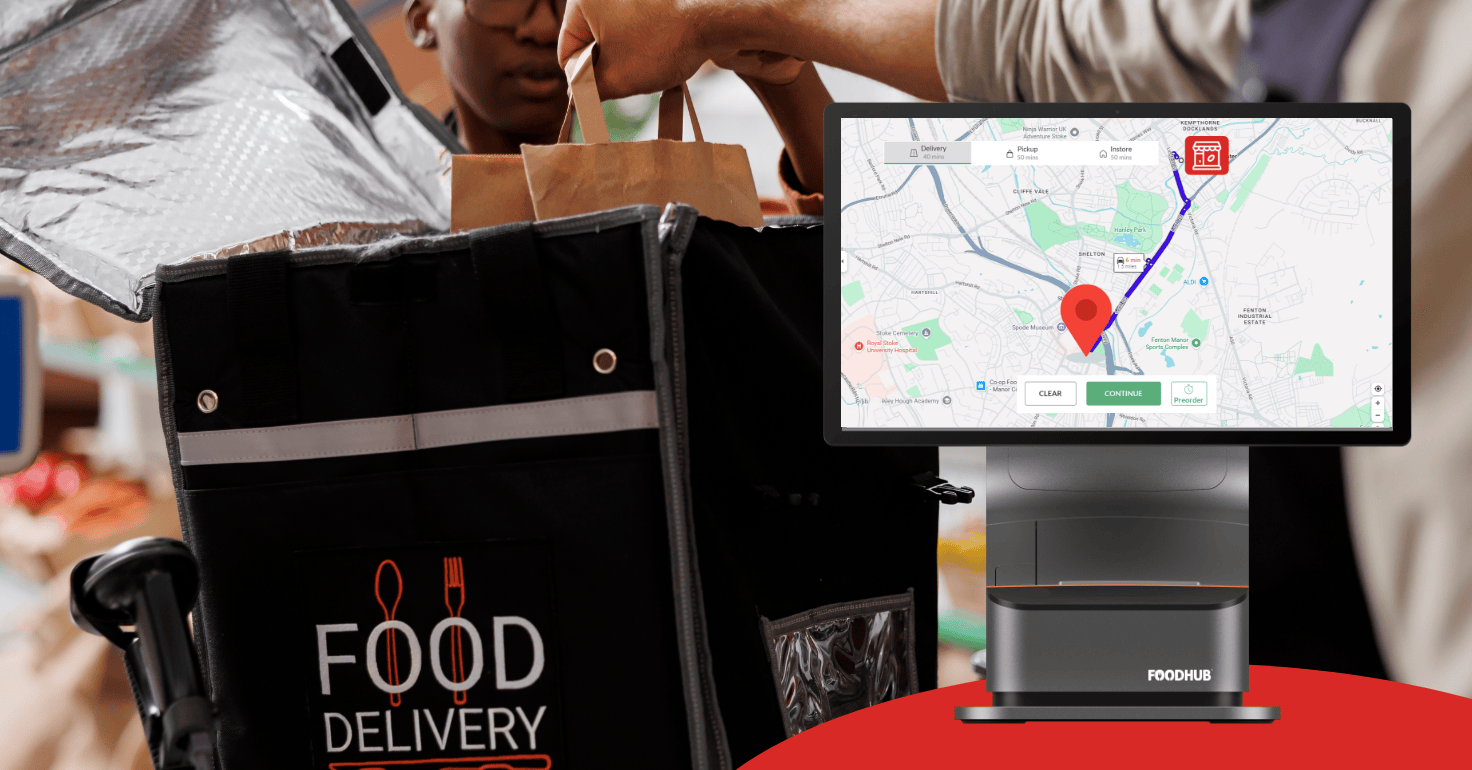
Foodhub’s delivery management system is designed to help restaurants manage their own deliveries through a connected workflow. Current capabilities include live order and driver tracking, optimized routes, order assignment, delivery directions, customizable delivery settings, driver communication tools, proof of delivery, and reporting.
Orders can be entered manually or through supported POS integrations running on My Business Hub, allowing restaurants to choose an approach that fits their setup. Managers can oversee deliveries through a dashboard while drivers receive delivery details through a mobile app.
Because every restaurant’s operation is different, the most useful next step is to review your current delivery process, the systems you already use, and the capabilities you need. That conversation can help determine whether Foodhub is the right fit and what a practical transition could look like.
Speak with our team
Want to understand how delivery management could fit into your current restaurant setup? Speak with the Foodhub team about your ordering channels, delivery workflow, and day-to-day needs.