The feature-packed POS system for your takeaway
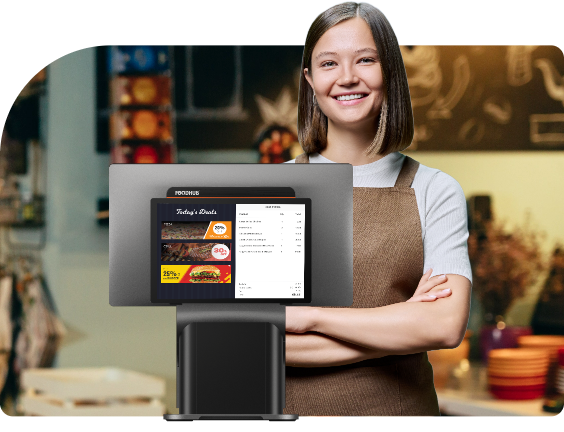

Create and manage digital coupon codes for customers. Boosts engagement and incentivises repeat orders.

Offer percentage or value-based discounts. Can be applied at item or bill level for special offers or loyalty.

Summarises individual staff performance by sales, tips, and orders handled. Enables data-driven staff evaluations and training.

Schedule and send promotional or transactional SMS to customers. Keeps them informed and engaged at the right time.

Automate email campaigns for offers, updates, or newsletters. Ideal for consistent customer communication.

Send instant messages directly to your app users. Great for announcing offers, new items, or order updates.

Print custom promotional messages on receipts. A smart way to upsell or announce future deals.

Control how your store appears and functions on the Foodhub platform. Helps align branding and operational settings.

Reward customers for repeat purchases with a point-based system. Encourages retention and increased order value.

Issue and redeem gift cards via POS or app. A powerful tool for gifting and boosting customer loyalty.

Create a booking in the system for customers who call or visit in person. Ensures accurate tracking of all reservations.

View reservations awaiting confirmation. Helps manage availability before final approval.

Confirm, decline, or modify reservations with a single click. Keeps seating organised and customers informed.

Manage key store details like address, hours, and holiday closures. Keeps customer-facing data up-to-date.

Manage your store’s branded mobile app settings and content. Enhances digital presence and customer convenience.

Runs a health check on system functions like hardware, connectivity, and software. Useful for troubleshooting and support calls.

Set up and manage printer settings for receipts, order tickets, and labels. Ensures correct formatting and routing for every print job.

Test, troubleshoot, and maintain printer performance. Keeps your devices running smoothly during busy service hours.

Customise the layout of printed receipts and kitchen orders. Allows you to include branding, promotional messages, and key order details.

Route specific orders to designated printers, such as sending drinks to the bar and mains to the kitchen. Streamlines workflow and reduces confusion.

Print food and delivery labels with item names, modifiers, and customer details. Improves order accuracy and speeds up packing.

Store owner or admin can manage their name, contact info, and login credentials. Ensures secure and accurate account identification.

Set up your SMS gateway or template settings. Enables automated or manual messages from the POS system.

Define your store's opening and closing times. Essential for scheduling orders, delivery cutoffs, and online visibility.

Mark holidays and special closures in advance. Automatically disables order acceptance during those days.

Temporarily disable order intake during downtimes. Helps in emergencies or unplanned closures without losing visibility.

Select and customise the look of your online ordering website. Supports brand consistency and a professional appearance.

Enable customers to book tables directly from your website. Reduces phone bookings and allows real-time availability updates.

Organise, track, and optimise table usage for dine-in service. Helps maximise seating efficiency and reduce wait times.

Provide guests with a QR code at their table to view the menu, order, and pay. Improves convenience and speeds up service.

Test your internet connection directly from the POS. Ensures your cloud-based functions run smoothly.

Set up rules to automatically send SMS based on order status or time. Reduces manual effort and boosts efficiency.

Collect and view customer ratings and comments on orders. Helps improve food quality and service based on real input.

Maintain detailed records of every customer. Useful for loyalty programmes, remarketing, and personalised campaigns.

Restrict problematic customers from placing future orders. A tool to prevent fraud or repeated abuse.

Process walk-in or dine-in orders directly via the POS. Keeps front-of-house operations fast and efficient.

Handles refunds for cancelled orders or disputes. Maintains a clear record for accounting and customer service.

Shows a breakdown of delivery, service, and transaction charges. Keeps you aware of where your profits are going.

Summarises all bookings by date, time, and table. Helps manage seating efficiently and avoid overbooking.

Keeps a record of system errors and failed operations. Useful for troubleshooting and improving reliability.

Summarises all bookings by date, time, and table. Helps manage seating efficiently and avoid overbooking.

Completes the end-of-shift process by confirming all sales, payments, and tips. Ensures accurate daily revenue closing.

A central hub showing key business metrics at a glance. Ideal for daily performance tracking.

Manage all purchase orders for stock replenishment. Keeps your kitchen or store well-supplied without overstocking.

Store and manage details of your menu and recipes. Simplifies repeat ordering and improves vendor communication.

Perform quick or detailed stock counts to review discrepancies and record counted values instantly.

Keep track of all the new deliveries and manage them with existing stock to avoid additional expenses.

View the current inventory levels by item or category. Helps avoid stockouts during peak hours.

Creates itemised bills with taxes, charges, and tips. Enables transparent transactions and smooth checkouts.

Connect instantly with support agents through real-time chat. Ideal for resolving urgent queries during service hours.
Send detailed queries, attachments, or follow-ups to the support team. Best for non-urgent issues that need thorough responses.

Log and track support requests in a ticketing system. Ensures every issue is recorded, prioritised, and resolved systematically.

Easily onboard new delivery drivers into the system. Enables real-time assignment and tracking of deliveries.

Analyse delivery times, ratings, and reliability for each driver. Encourages accountability and rewards top performers.

Send a secure payment link via SMS or email to customers. Ideal for remote or contactless payments.

Customers can scan a QR code to make payments. Speeds up service and reduces physical contact.

Supports traditional cash payments with proper cash-in/cash-out tracking. Useful in areas with low card adoption.

Accept all major debit and credit cards. Ensures flexibility and convenience for modern diners.

Supports NFC-based contactless payments like Apple Pay and Google Pay. Speeds up the checkout process.

Lets customers divide the bill across different payment modes or people. Useful for group dining and shared bills.

Define what each role (e.g., cashier, manager) can see or do in the system. Increases operational security and clarity.

View and manage all active orders in real time. Helps track progress and coordinate between kitchen and delivery staff.

Monitor orders that are out for delivery. Keeps customers informed and allows quick intervention if delays occur.

See a record of all fulfilled orders. Useful for reporting, customer service, and performance tracking.

Identify how the order was placed, through online, in-store, app, or phone. Helps measure the popularity of each channel.

Categorise orders as delivery, takeaway, or dine-in. Enables better resource allocation and operational planning.

Allow customers to place orders in advance. Improves preparation and helps manage peak times efficiently.
Route order tickets to specific printers (e.g., drinks to bar, mains to kitchen). Keeps operations smooth and reduces staff confusion.

Easily control your entire food and drink offering from a centralised dashboard. Update menus in real-time across your in-store and online systems.

Allow customers to customise their orders—like choosing pizza sizes or burger toppings. Enhances flexibility without complicating the process.

Mark individual items or modifiers as unavailable during service. Prevents incorrect orders and ensures kitchen efficiency.

Organise your menu into logical sections like mains, drinks, and desserts. Helps customers and staff find items faster and more intuitively.

Reorder and design how your menu appears both in-store and online. Ensures consistent customer experience across platforms.

View your best-performing dishes at a glance. Useful for refining your menu or planning promotions.

Quickly add new dishes or update prices anytime. Perfect for daily specials or adjusting for rising ingredient costs.
View your best-performing dishes at a glance. Useful for refining your menu or planning promotions.

Automatically generate and send reports at set intervals. Saves time and ensures you never miss performance updates.

Shows an overview of your total sales across all order channels. Perfect for end-of-day reconciliation and performance checks.

Displays all successfully delivered or fulfilled orders. Useful for record-keeping and customer service follow-up.

Tracks orders that were cancelled either by the customer or the restaurant. Helps monitor cancellation trends and potential issues.

Lists orders for which payments have been returned. Keeps your accounting transparent and builds customer trust.

Captures orders that were invalidated before processing. Prevents accidental billing and maintains clean records.

A unified report combining all transaction data across cash, card, and online. Perfect for bookkeeping and end-of-day settlement.

Detailed log of every card payment made through the system. Helps in verifying payments and resolving disputes.

A complete statement of all transactions processed via card terminals. Often used for reconciliation with payment providers.

Shows amounts transferred to your account after deductions. Useful for cash flow planning and transparency.

Highlights the most ordered categories like 'Burgers' or 'Wraps'. Helps prioritise stock and design promotions.
Tracks which add-ons or customisations are most used (e.g., extra cheese). Helps refine pricing and kitchen prep.

Lists your highest-selling individual menu items. Ideal for upselling, bundling, or spotlighting bestsellers.

Highlights the most ordered categories like 'Burgers' or 'Wraps'. Helps prioritise stock and design promotions.

Summarises individual staff performance by sales, tips, and orders handled. Enables data-driven staff evaluations and training.

Provides a complete breakdown of each driver’s deliveries, cash collected, and performance metrics.

Generate detailed insights into staff performance, tracking sales, productivity, and shift efficiency.

Shows the total tips earned by each driver, helping maintain payout transparency and encouraging good service.

Summarises the total tip earnings for the store, across all staff and order channels.

Track and manage credit-based transactions. Useful for corporate clients or regulars with running accounts.